
Strongpilot EFB suite

Aircraft Performance

Bring more than 15 years of operational performance expertise to your flight deck. Strongpilot’s Windows applications support takeoff, inflight and landing calculations using manufacturer algorithms and operator-specific policies, alongside E-Checklist.

For your operationConfigure the calculation around your aircraft data and operating policies, then review takeoff, inflight and landing outputs within a dedicated Windows workspace.

Discuss this solution ↗
WINDOWS PERFORMANCE · Takeoff, inflight and landing applications. The cross-platform EFB core is available separately for iOS and Windows.

A calculation foundation built on manufacturer data

Strongpilot takeoff and landing applications use aircraft manufacturer SCAP software modules and databases. Operator policies, aircraft configuration and relevant operational inputs shape each calculation.

The applicable manufacturer interface determines which inputs and outputs are available for each aircraft.
Takeoff preparation

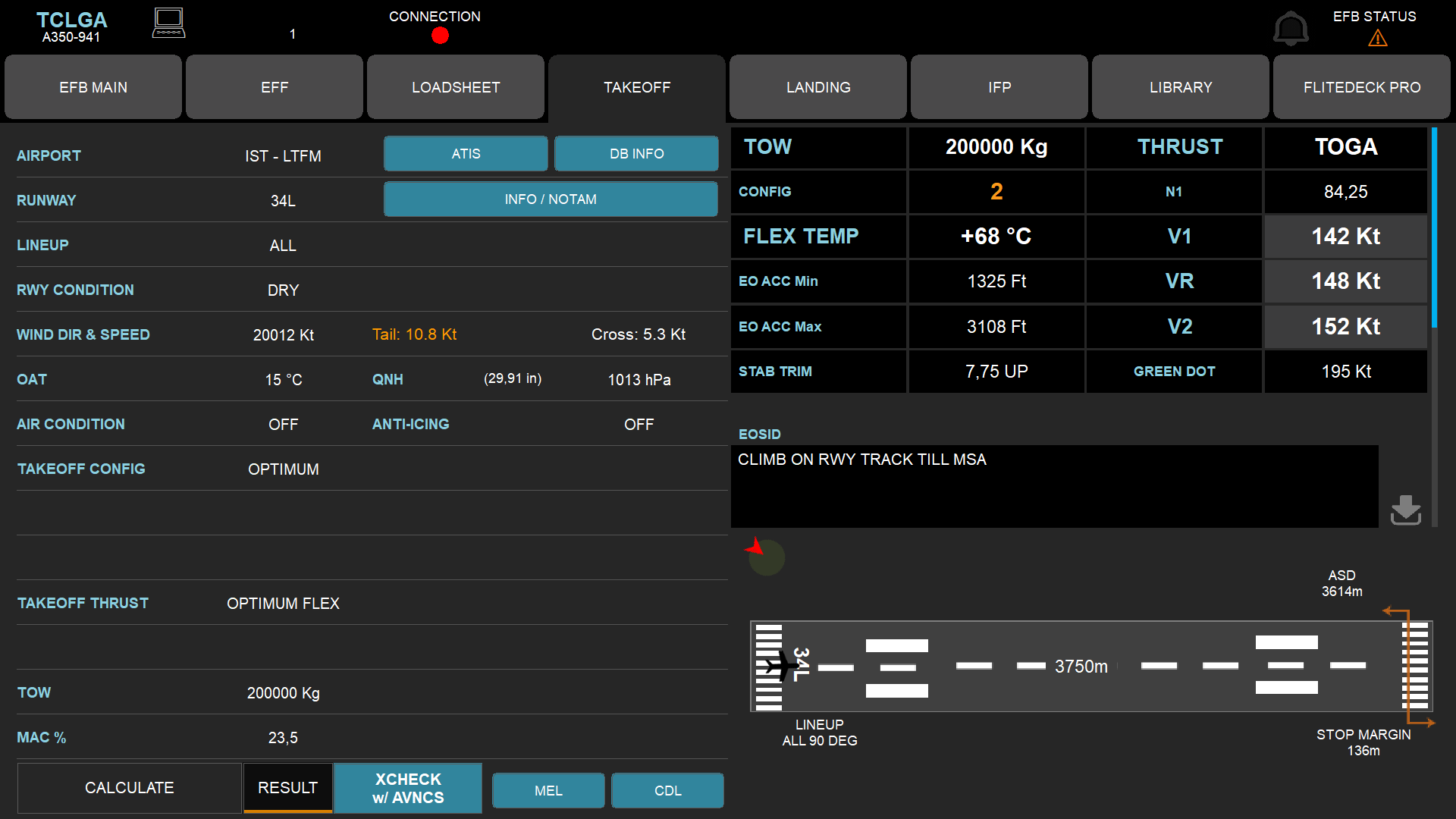
  • Runway condition, wind, outside air temperature and pressure inputs.
  • Runway shortening, lineup corrections and additional obstacle inputs.
  • Performance-related MEL/CDL selection.
  • Configuration and flap optimization, derate and assumed/flex temperature where supported.

Performance outputs

  • Takeoff reference speeds and thrust settings.
  • Flap/configuration and flex temperature.
  • Acceleration altitude/height and limiting factors.
  • Stabilizer trim, where applicable.

The available outputs depend on the aircraft type and manufacturer module.

Input checking & calculation records

  • Format and type checks during data entry.
  • Information, caution and warning messages.
  • Database version information.
  • Calculation records retained and sent to the server when connectivity is available.
  • Aircraft data comparison where the required aircraft interface is available.

The application in practice

Strongpilot takeoff performance product screen

Existing Strongpilot takeoff performance interface. Screen content illustrates the product.

Landing performance

Review runway stopping distance, approach speed and applicable procedures for failure conditions. Calculations use manufacturer algorithms and operator policies, with outputs determined by the aircraft configuration and supported data.

Inflight performance

Support calculations for climb, cruise, descent and holding. Review normal and abnormal scenarios, including engine failure, with graphical results where supported. Confirm the applicable aircraft and manufacturer module with Strongpilot.

Windows performance applications

Takeoff, inflight and landing performance are Windows solutions. The iOS EFB provides a separate flight preparation and operational workflow. Its PERF INIT panel supports FMS data review and preparation.

Data & fleet requirements

The operator supplies the applicable manufacturer performance software and databases. Airport obstacle data is supplied by the customer. Aircraft, configuration and MEL/CDL data must match the intended operation.

Confirm the exact variant, module and database requirements with Strongpilot.

Performance in detail

More of the operational picture.

Application features described in the Strongpilot performance documentation, subject to the aircraft and supported manufacturer interface.

Landing outputs & abnormal conditions

  • Maximum limiting weight, required landing distance and autobrake distances.
  • VREF, VLS and approach speeds where supported.
  • Approach and landing climb gradients, climb speed and go-around thrust.
  • Brake cooling time for supported Boeing aircraft.
  • Dispatch, inflight failure and non-normal calculation modes.

ATIS & runway changes

Record runway, runway condition, wind, OAT and QNH through the ATIS form and transfer the recorded values into the calculation workspace. Apply temporary runway shortening at the beginning or end, or runway-width adjustments.

Performance-related MEL/CDL

Select the MEL/CDL items affecting the calculation. The application uses the corresponding penalties and operator configuration, with item selection tied to the supported aircraft data.

Aircraft data comparison

Where the aircraft UDP interface is available, compare selected flap/configuration, V1, VR, V2 and engine-out acceleration altitude with the aircraft data. Differences produce a disagree indication for crew review.

Start a conversation

Let’s talk about
your next flight
deck solution.

Tell us about your fleet, operational priorities and the applications you would like to explore. We’ll help you identify the right starting point.

See Strongpilot for your fleet ↗This opens your email application with a prepared enquiry. No information is submitted through this page.info@strongpilot.com+90 242 227 23 64+90 533 094 15 22
Akdeniz University Teknokent
Uluğbey R&D 2 Building, Floor 1, No. 2
Pınarbaşı, Hürriyet Street
07070 Konyaaltı, Antalya, Türkiye